Artivive Get started

Optimize Image Recognition

Your trigger image is what the Artivive app scans to launch your AR. The clearer and more unique it is, the more reliably it will be recognised. Here is how to design one that scans every time.

1.How it works

When you upload an image to the Artivive Editor (Bridge), it analyses the image to find its unique pattern - like a fingerprint. The 0 to 5 star rating you see is there to guide you toward the best possible result when the artwork is scanned with the Artivive app.

★★★★★
More distinct, asymmetric detail means more recognisable features - and a higher, more reliable rating.
The star rating is not fault-proof It only indicates the number of recognisable features present in the overall composition. If those features are highly symmetrical, or just circles, the tracking will have a harder time working - even at a higher star count. Always test in the real world.

2.Good vs bad image recognition

Aim for images with strong visual character. Use this checklist when choosing or designing a trigger image:

Good recognition

  • High contrast
  • Plenty of detail
  • Sharp edges

Bad recognition

  • Solid single colours
  • Very little to no detail
  • Blurry images
  • Too symmetrical
  • Too much text

3.Pro tips before you print

Always test your projects before printing Scan the finished artwork with the Artivive app or WebAR before it goes to print. It is far easier to adjust a trigger image now than after a whole run has been printed.
Do not use a QR code as a trigger image If you are creating a poster and want to include Artivive's QR code on it, upload the trigger image with the QR code area covered. If you upload an image with the QR code visible, we will replace it with a version where the QR code is covered.

4.Clear examples

Compare these examples of good and bad recognition to train your eye:
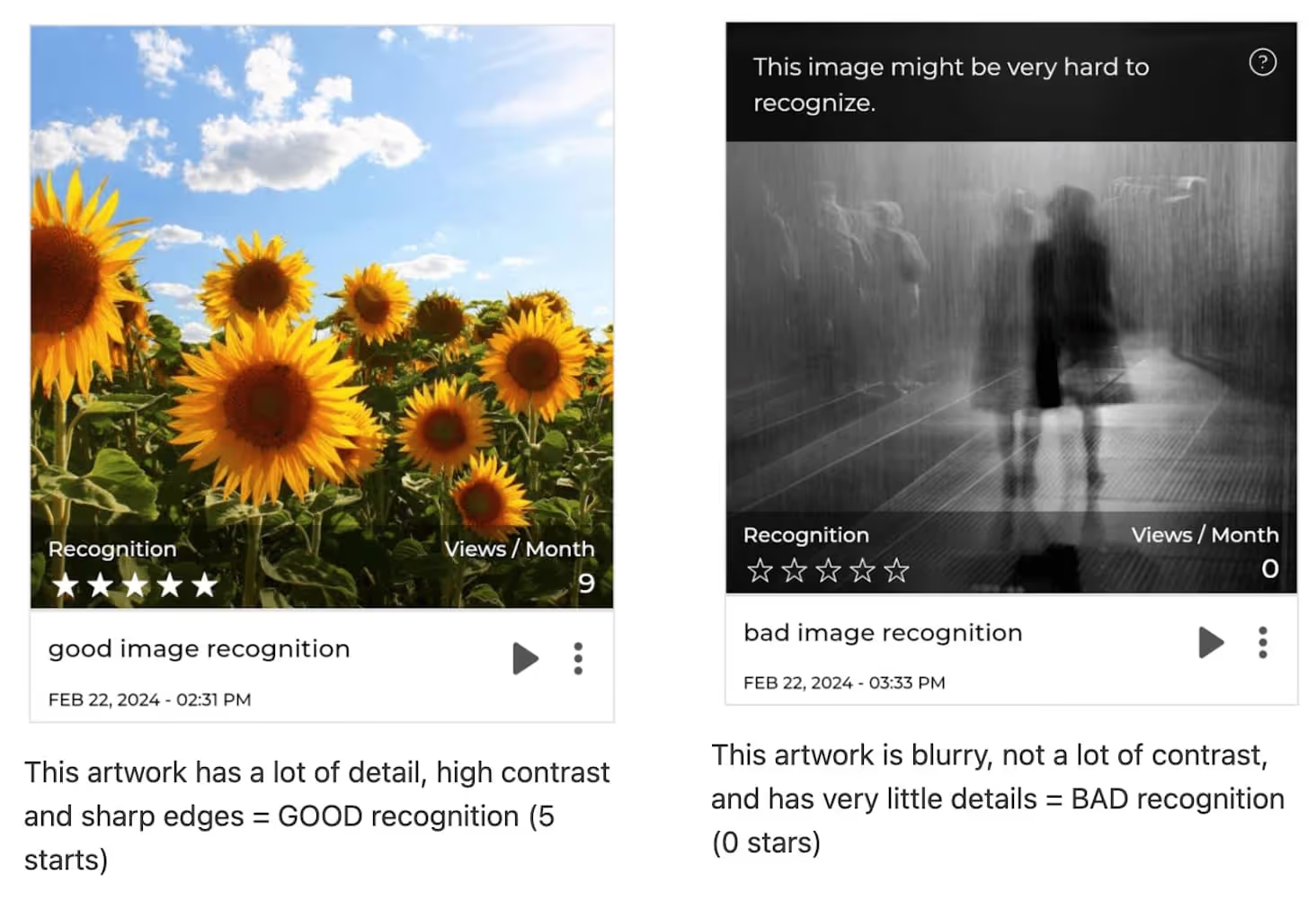
Side-by-side comparison of good and bad image recognition
Good vs bad recognition at a glance.

Try scanning these two artworks for an example of a low star rating with repetitive patterns, which results in an unreliable scanning experience:
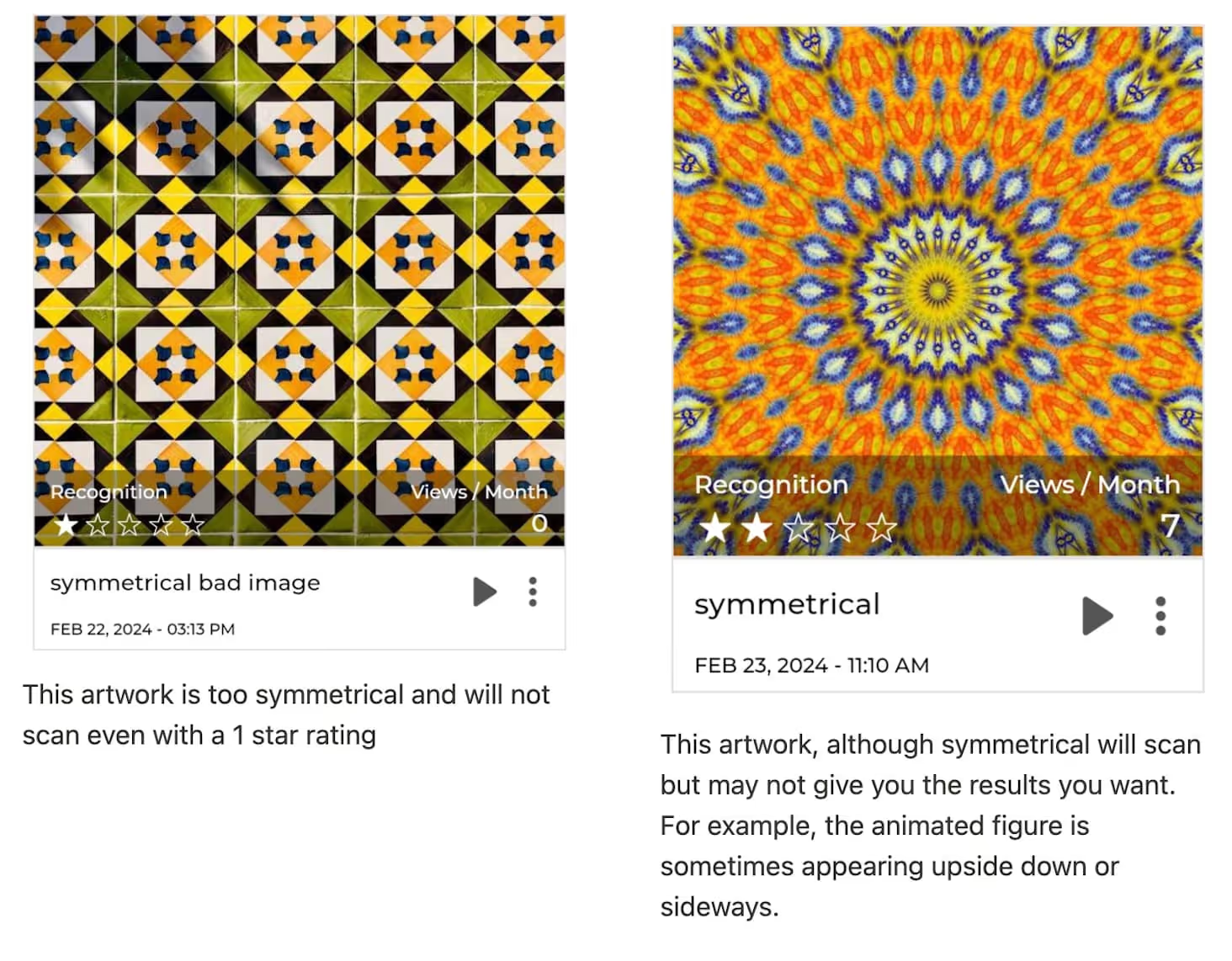
Artworks with repetitive patterns and low star recognition
Repetitive patterns confuse recognition and lower the rating.

Example of bad image recognition caused by too much text:
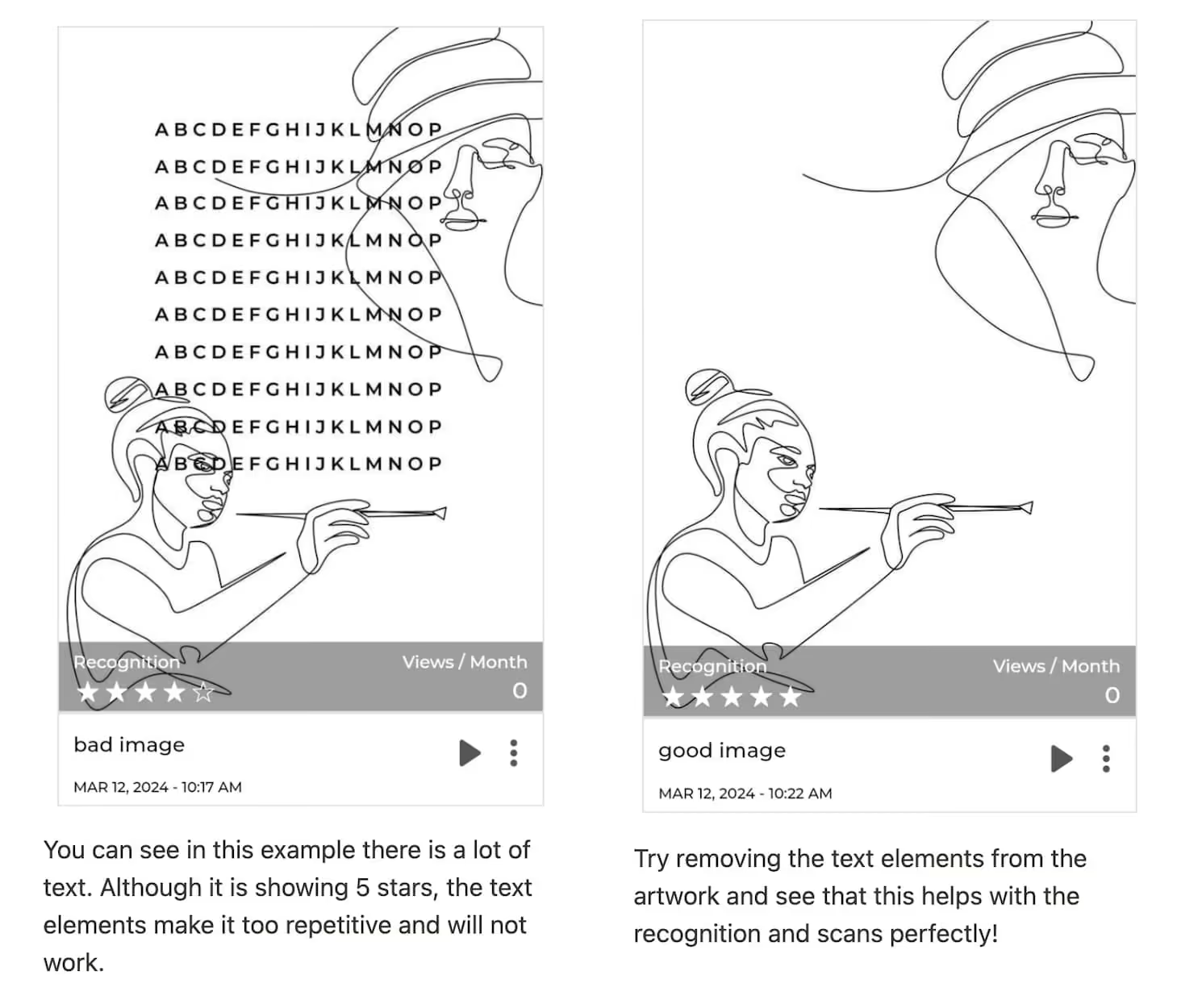
Text-heavy artwork with poor image recognition
Too much text reduces the distinct visual features needed to track.

More examples of bad image recognition (0 stars):

Examples of zero-star image recognition
Solid colours and low detail leave nothing to recognise.

5.Keep learning

Watch this tutorial for a full walkthrough on how to optimise image recognition.

If you need any further assistance, reach out to us at support@artivive.com.